04
Connect
Bring your trainer into the workout.
Connect a compatible Bluetooth smart trainer for live power and automatic resistance control. Add a heart-rate monitor to see how your body responds as the work changes.
BluetoothSmart trainerHeart rateERG or Passive
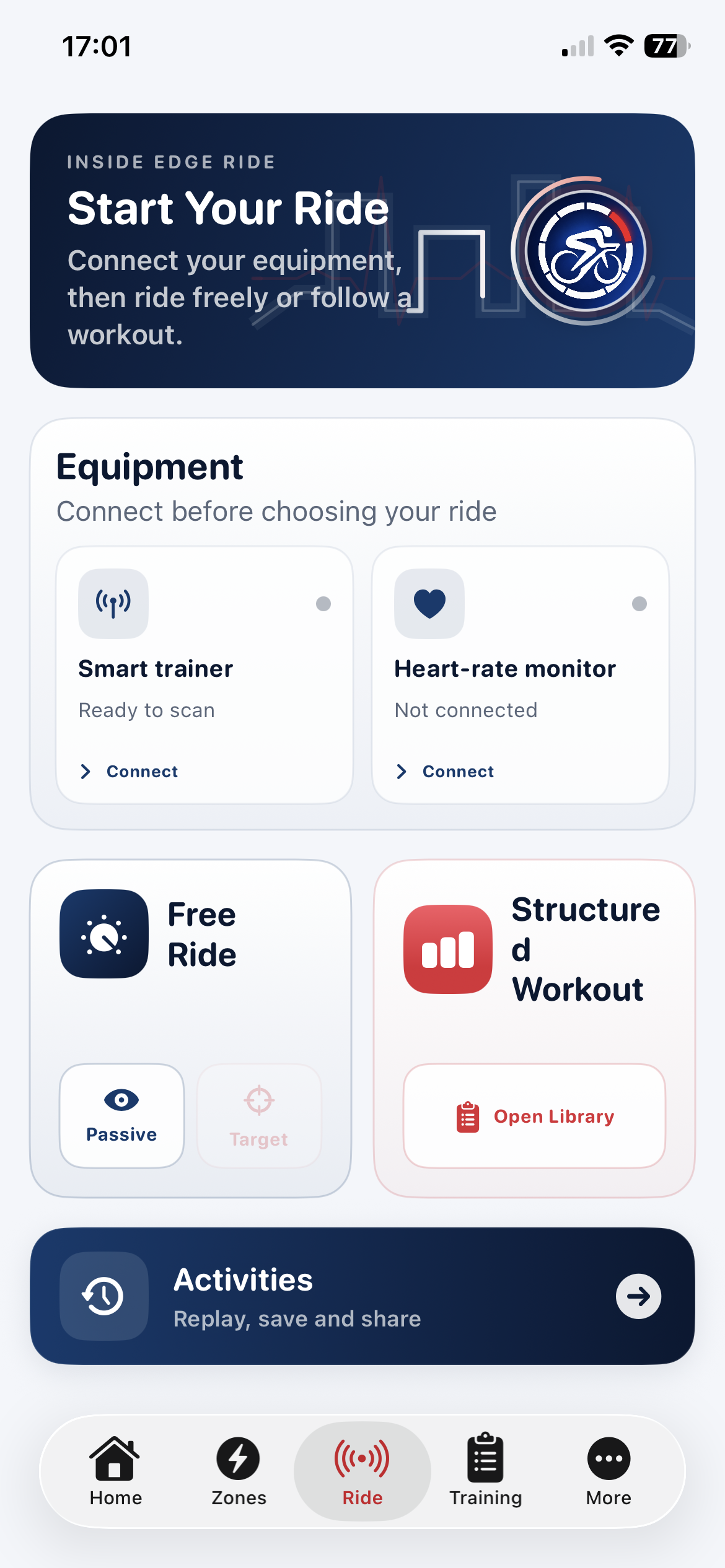
Simple setup
Connect once, then choose how you want to ride.
The Ride screen keeps trainer and heart-rate connections beside the riding choices. Use a structured workout, ride freely with target control, or select Passive mode to monitor power without the app changing resistance.
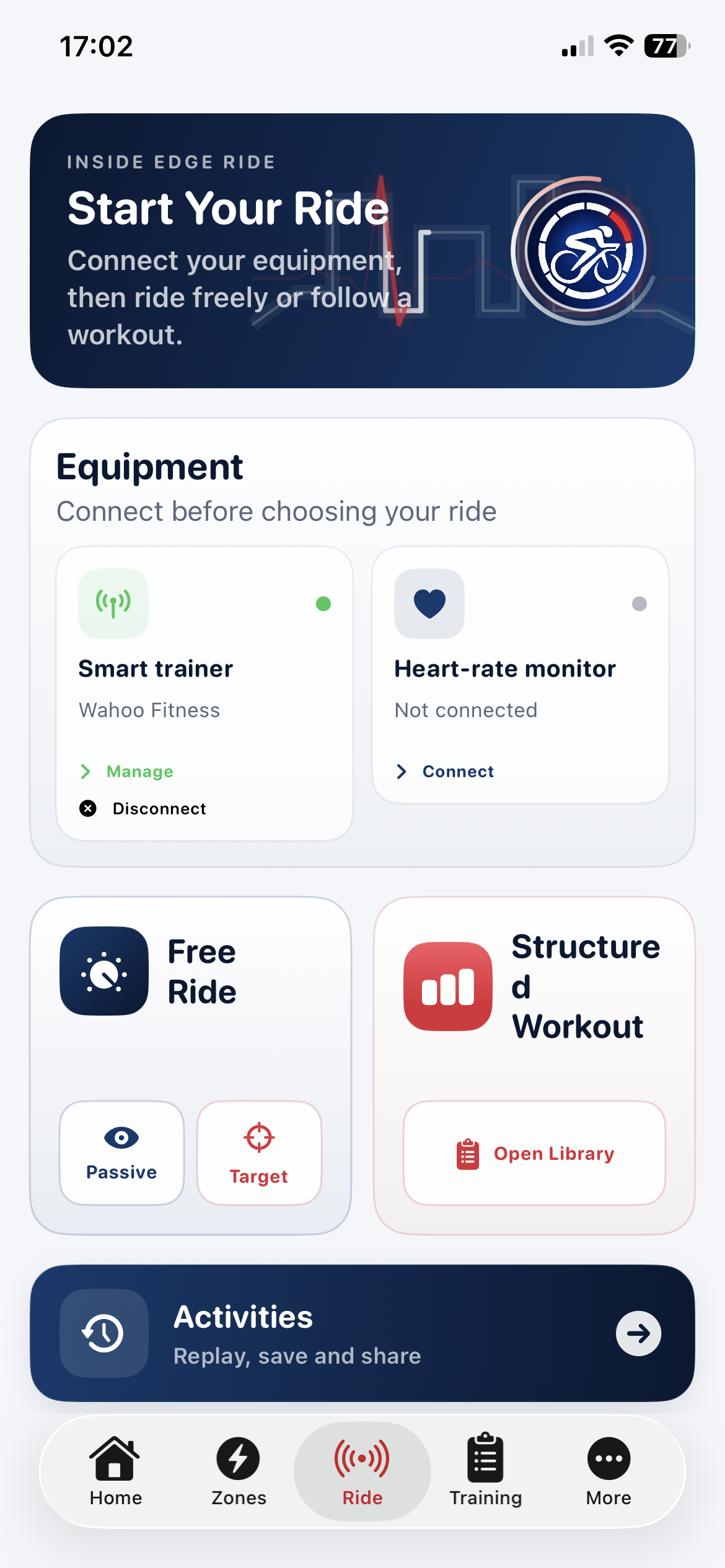
Connected and ready
Connection status stays beside the way you want to ride.
Once a trainer is connected, its status and controls remain visible before you choose Passive Free Ride, a target-controlled Free Ride or a structured workout.
- Manage or disconnect the active trainer
- Connect heart rate independently
- Unlock Free Ride target control
- Open the structured workout library
Next: Ride
Let the workout take control—or stay in charge yourself.
See how live metrics, ERG targets, interval guidance and the workout graph come together during a ride.